Music · iPhone & iPad

Every lyric, in sync and in your language.

Connect Apple Music and Lyricflow follows along line by line as your song plays. Tap once to translate, then keep the words on your Lock Screen, in the Dynamic Island or on your car’s display.

Free on the App Store · iOS 17 or later

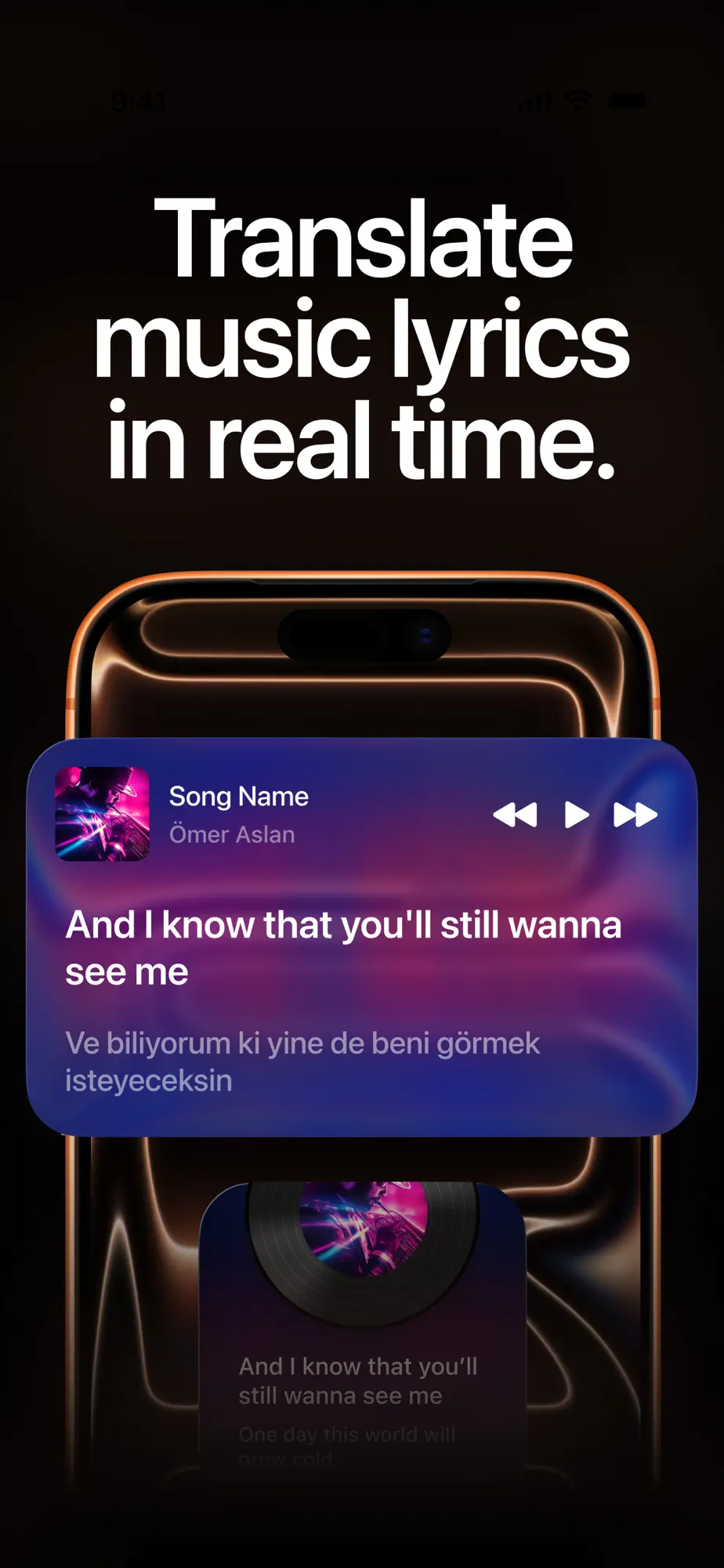
Lyricflow translating song lyrics in real time
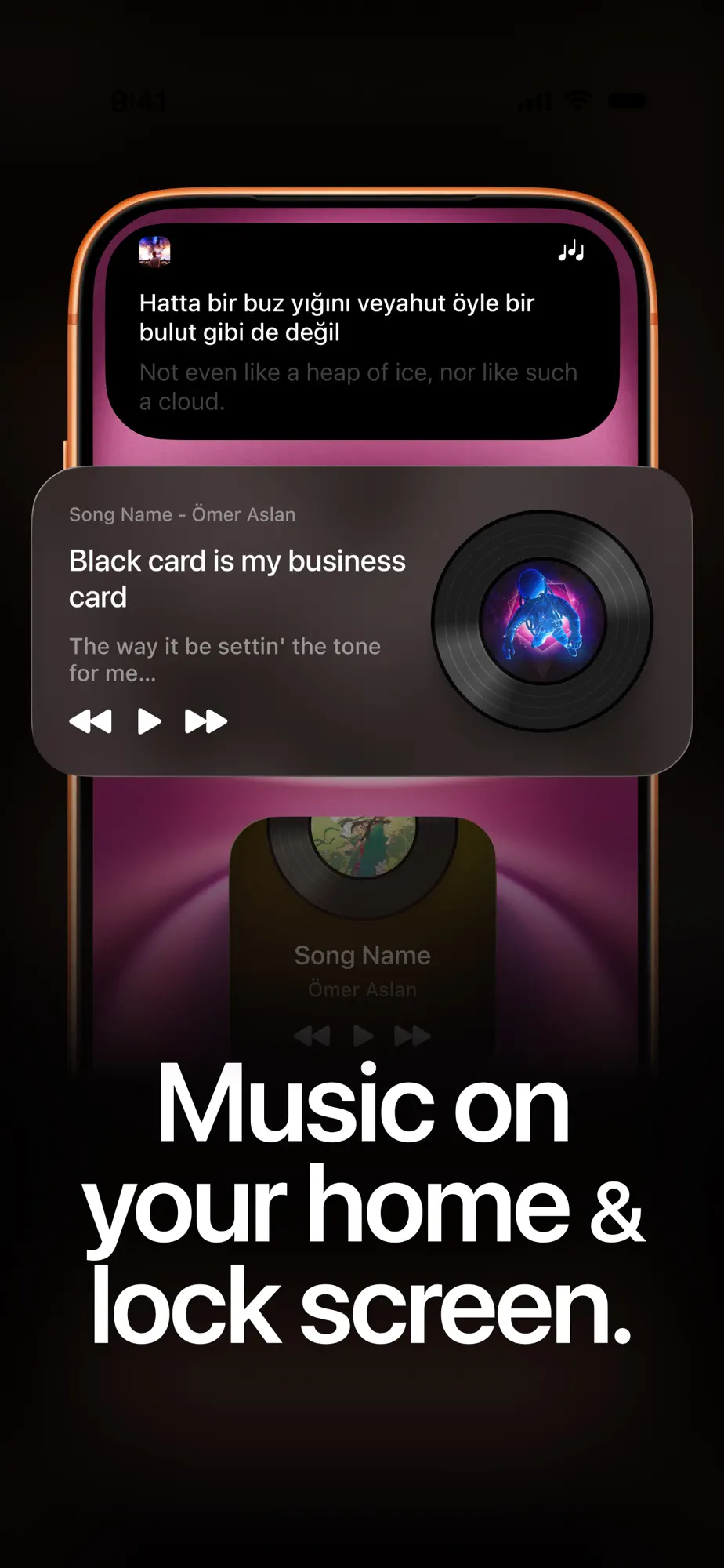
Lyricflow lyrics on the Home Screen and Lock Screen
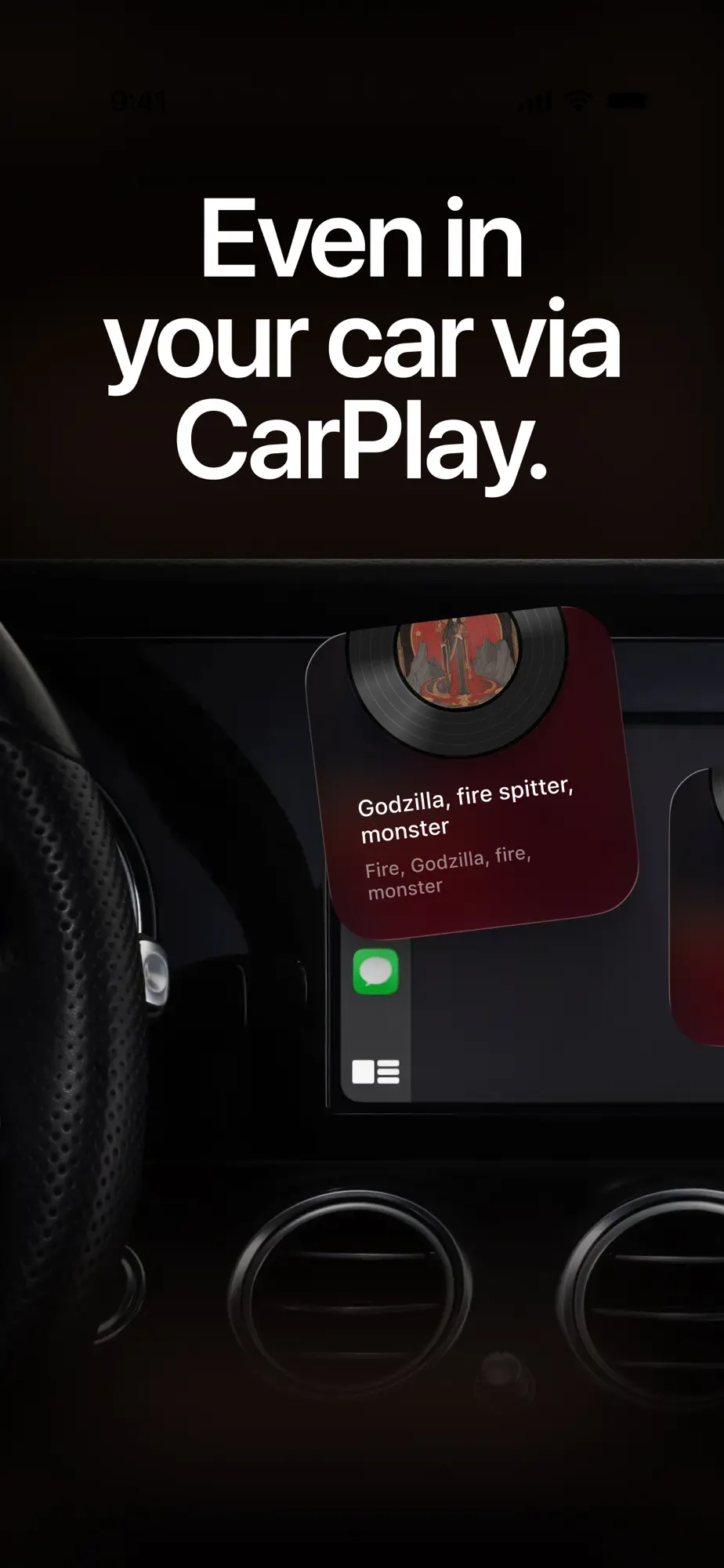
Lyricflow showing lyrics on a car display with CarPlay

Features

More than playback.

Lyricflow runs quietly in the background, detects what you’re listening to and shows the right lyrics at the right moment.

Live lyrics

Lyrics that keep up with the music.

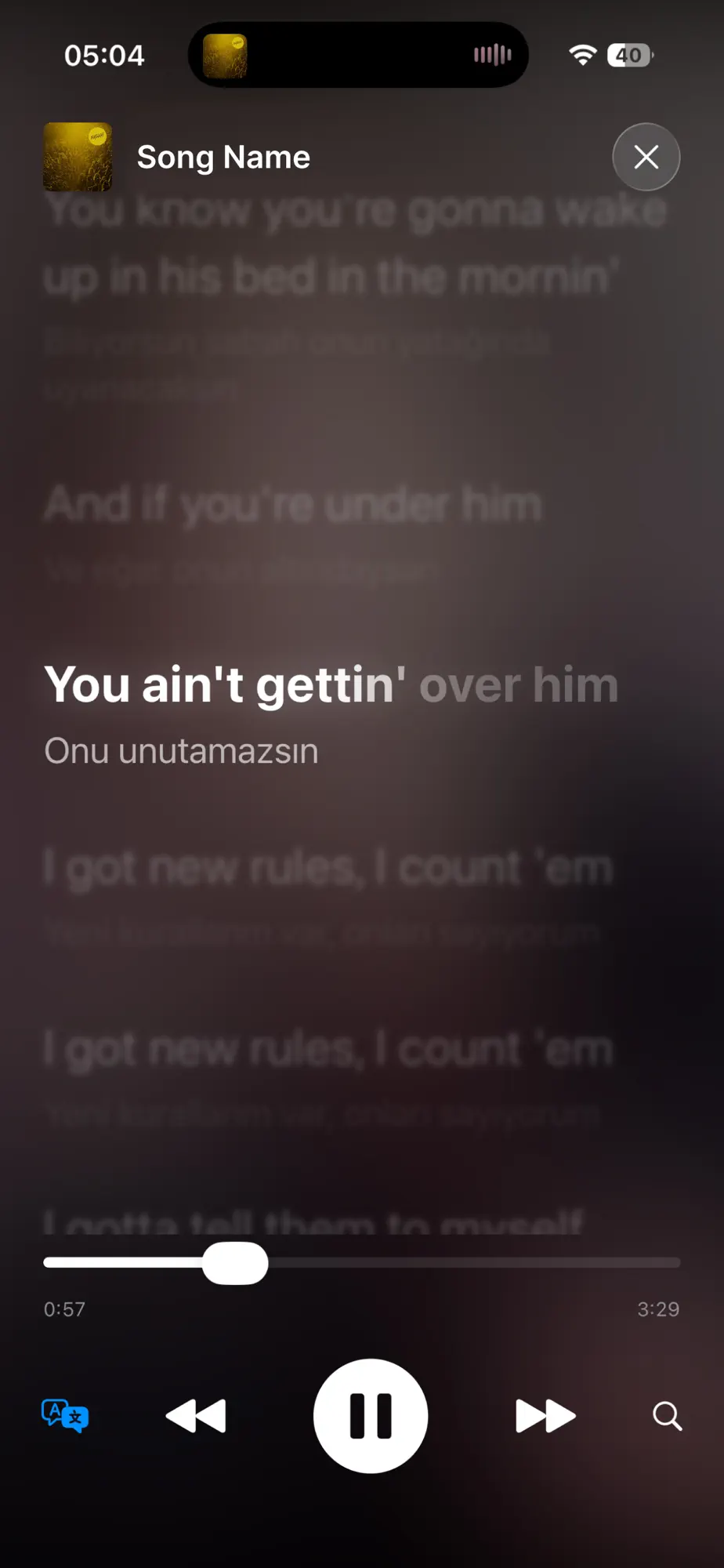
Real-time lyric tracking shows each line as it’s sung, so you can sing along, discover hidden meanings or simply enjoy every word without missing a beat.

  • Synced line by line with Apple Music
  • Detects what’s playing automatically
Lyricflow player with synced lyrics

Translation

Understand songs in any language.

Translate lyrics into your preferred language with a single tap. No interruptions, no switching apps.

  • Instant real-time translation
  • Great for language learners
Original and translated lyrics shown together

Widgets & Live Activities

Lyrics, even when your phone is locked.

Home Screen and Lock Screen widgets, Live Activities and Dynamic Island support keep the current line in view wherever you are.

  • Home Screen and Lock Screen widgets
  • Live Activity and Dynamic Island support
Lyricflow widget and Dynamic Island on iPhone

CarPlay

Sing along on the road.

Lyricflow supports CarPlay, so live, scrolling lyrics appear on your car’s display while your focus stays on the road.

  • Live, scrolling lyrics on CarPlay
  • Runs smoothly in the background
Lyricflow lyrics on a CarPlay display

Settings

Clean, fast and minimal.

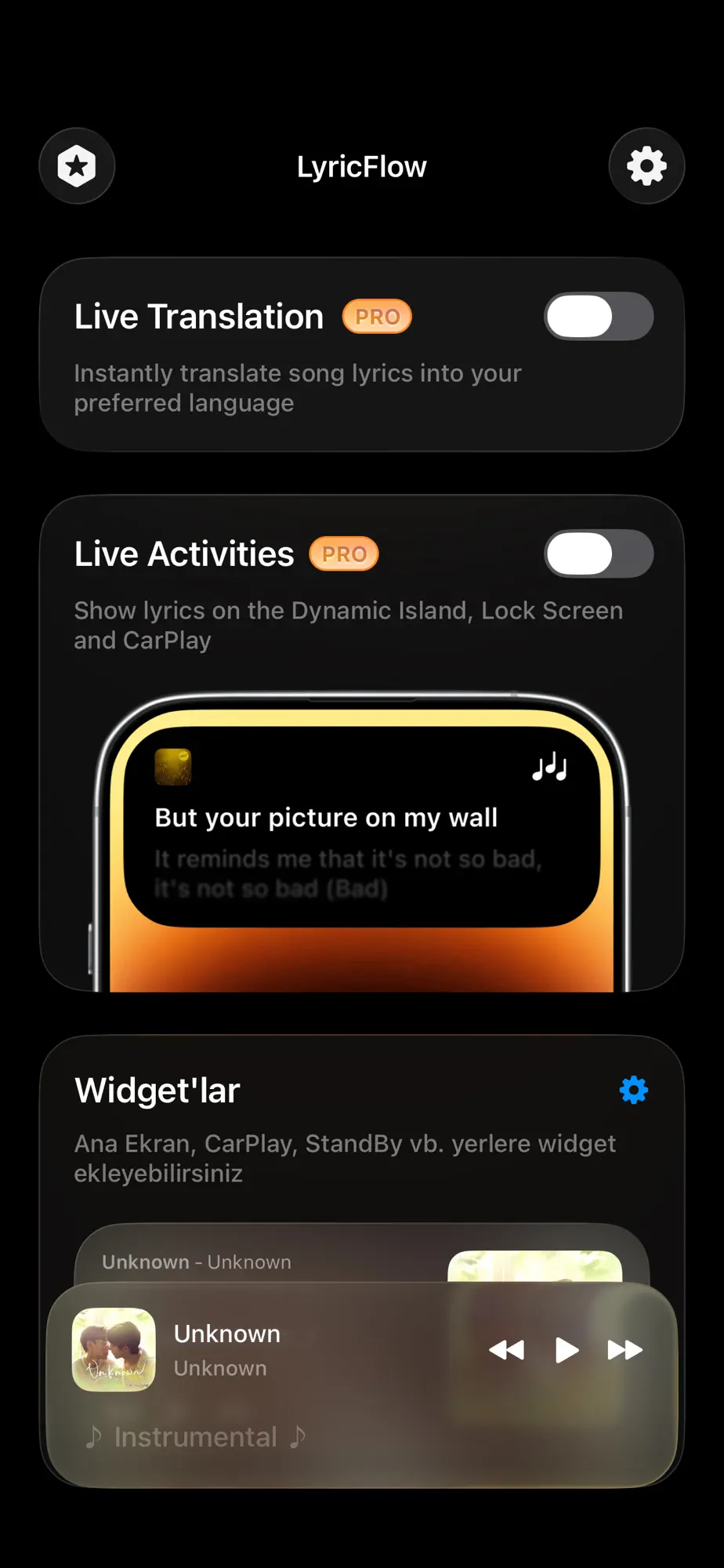
Designed with speed, clarity and elegance in mind. Turn on only what you need and let the lyrics do the rest.

  • Live Translation, Live Activities and widgets in one place
  • A focused design with nothing in the way
Lyricflow settings for Live Translation, Live Activities and widgets

FAQ

Questions, answered.

Something else on your mind? Write to oaomeraslan@gmail.com

Which music service does Lyricflow work with?

Lyricflow connects to your Apple Music account and shows synced lyrics for what you’re playing there.

Can I translate lyrics into my own language?

Yes. Tap once to translate the lyrics into your preferred language without leaving the song or switching apps.

Can I see lyrics while my phone is locked?

Yes. Home Screen and Lock Screen widgets, Live Activities and the Dynamic Island keep the current lyrics visible.

Does Lyricflow work in the car?

Yes. With CarPlay, live, scrolling lyrics appear on your car’s display.

What do I need to use Lyricflow?

An iPhone or iPad with iOS 17 or later. Lyricflow is free to download on the App Store.

Read, understand and feel every lyric.

Download Lyricflow free on the App Store.

Download on the App Store